CRUD Implementation
Now that your D1 database is set up and configured, it's time to implement the core functionality of your note-taking application. In this section, you'll connect your API endpoints to the database and implement full CRUD (Create, Read, Update, Delete) operations.
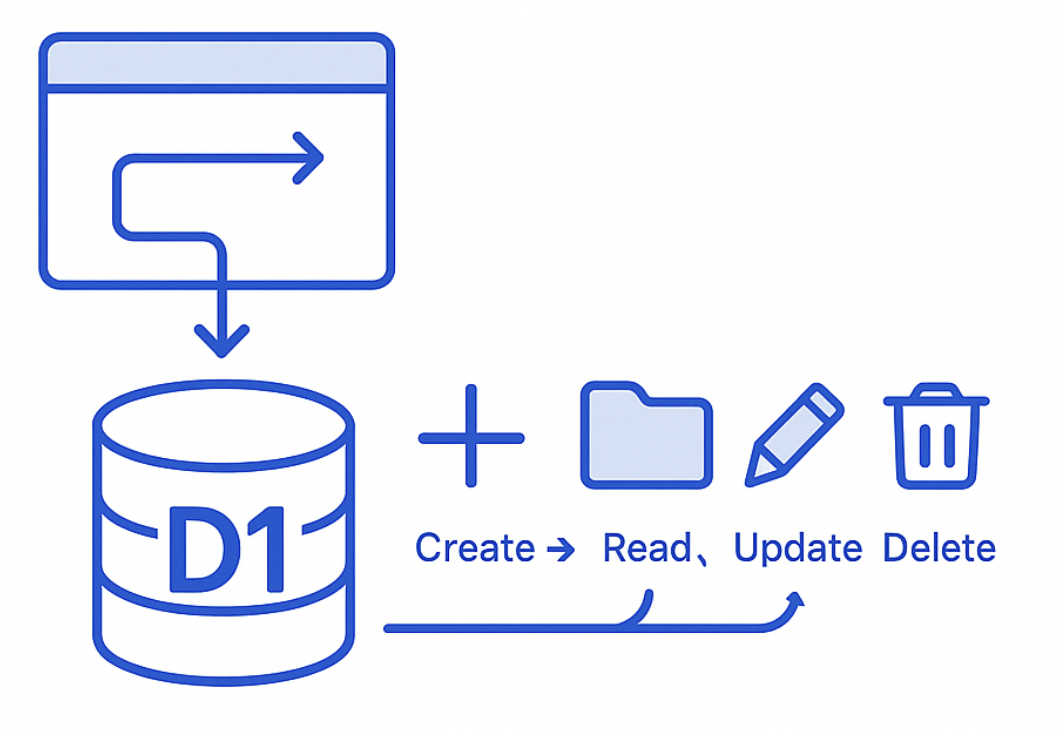
Understanding CRUD Operations
CRUD stands for the four basic operations you can perform on data:
- Create: Add new notes to the database
- Read: Retrieve existing notes from the database
- Update: Modify existing notes in the database
- Delete: Remove notes from the database
RESTful API Design
Your API will follow REST principles with these endpoints:
| Method | Endpoint | Purpose | Database Operation |
|---|---|---|---|
GET | /notes | Get all notes | SELECT * FROM note |
GET | /notes/:id | Get specific note | SELECT * FROM note WHERE id = ? |
POST | /notes | Create new note | INSERT INTO note |
PUT | /notes/:id | Update existing note | UPDATE note WHERE id = ? |
DELETE | /notes/:id | Delete note | DELETE FROM note WHERE id = ? |
Prerequisites
Before starting, ensure you have completed:
- Database Setup - D1 database created and configured
- Database migrations applied successfully
- Currently in
blazenote-backendproject directory
Verify Database Connection
# Ensure you're in the backend project
cd ~/projects/blazenote-backend

# Verify database is accessible
wrangler d1 execute blazenote --command "SELECT COUNT(*) FROM note;"
Understanding the Code Structure
Current Route File
Your API routes are defined in src/routes/notes.route.ts. Let's examine the current structure:
# Open the routes file
code src/routes/notes.route.ts
Current placeholder implementation:
import { Hono } from "hono";
import { ContextExtended } from "../types";

const notes = new Hono();

// TODO: In-Workshop Activities.
notes.get('/', async (ctx: ContextExtended) => {
    return Response.json([])
});

// TODO: In-Workshop Activities.
notes.get('/:id', async (ctx: ContextExtended) => {
    return Response.json({})
});

// TODO: In-Workshop Activities.
notes.post('/', async (ctx: ContextExtended) => {
    return Response.json({ message: "note created" })
});

// TODO: In-Workshop Activities.
notes.put('/:id', async (ctx: ContextExtended) => {
    return Response.json({ message: "note updated" })
});

// TODO: In-Workshop Activities.
notes.delete('/:id', async (ctx: ContextExtended) => {
    return Response.json({ message: "note deleted" })
});

export default notes;
Understanding the Context
What is ctx? The context object contains:
ctx.env: Environment variables and bindings (including our D1 database)ctx.req: Request object with headers, body, parameters- Response methods for sending data back to the client
Database Access: Our D1 database is available as ctx.env.DB thanks to the binding we configured in wrangler.toml.
Step 1: Implement GET /notes (List All Notes)
Understanding the Operation
This endpoint will:
- Connect to the D1 database
- Execute a SELECT query to get all notes
- Return the results as JSON
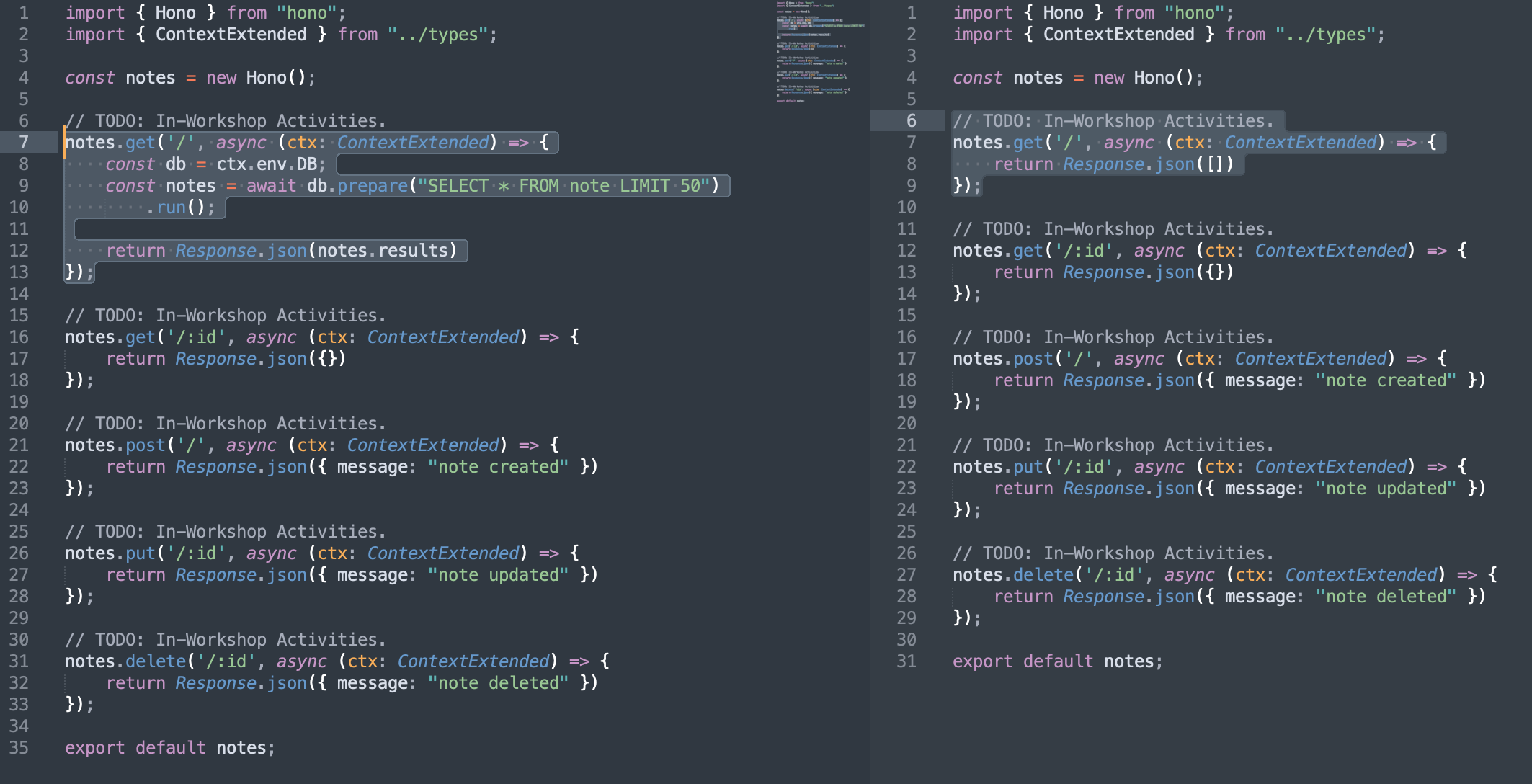
Update the GET / Route
Replace the placeholder implementation:
// Replace this:
notes.get("/", (ctx) => {
  return Response.json([]);
});
With this complete implementation:
notes.get("/", async (ctx: ContextExtended) => {
  const db = ctx.env.DB;
  const notes = await db.prepare("SELECT * FROM note LIMIT 50").run();

  return Response.json(notes.results);
});
Understanding the Code
Line by line breakdown:
async (ctx: ContextExtended): Function is async to handle database operationsconst db = ctx.env.DB: Get database connection from environmentdb.prepare("SELECT * FROM note LIMIT 50"): Prepare SQL query (limit for performance).run(): Execute the prepared statementResponse.json(notes.results): Return the results as JSON response
Security Note: The LIMIT 50 prevents accidentally returning huge datasets that could slow down your application.
Step 2: Implement GET /notes/:id (Get Single Note)
Understanding the Operation
This endpoint will:
- Extract the note ID from the URL parameter
- Query the database for that specific note
- Return the note data or null if not found
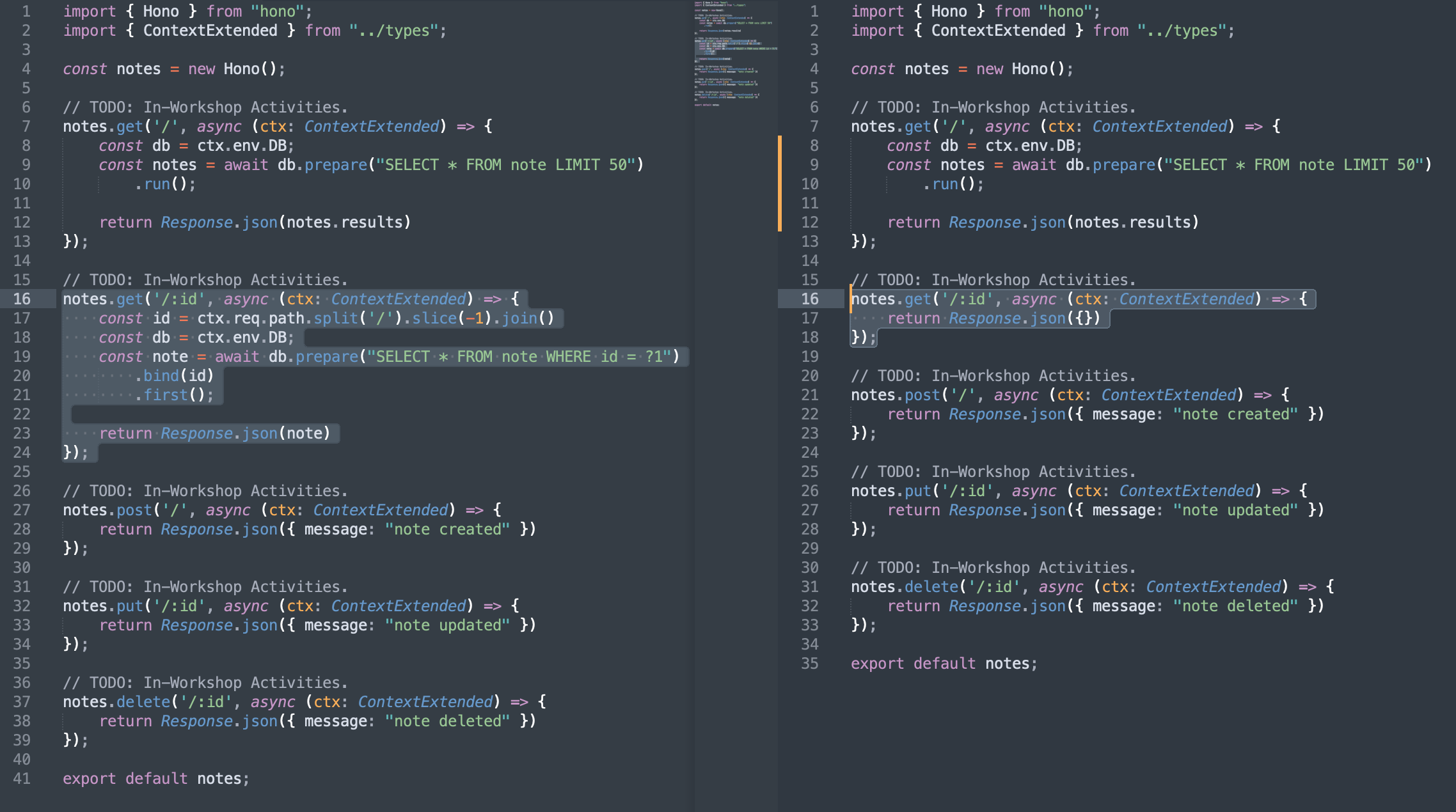
Update the GET /:id Route
Replace the placeholder:
// Replace this:
notes.get("/:id", (ctx) => {
  return Response.json({});
});
With this implementation:
notes.get("/:id", async (ctx: ContextExtended) => {
  const id = ctx.req.path.split("/").slice(-1).join();
  const db = ctx.env.DB;
  const note = await db
    .prepare("SELECT * FROM note WHERE id = ?1")
    .bind(id)
    .first();

  return Response.json(note);
});
Understanding the Code
Parameter extraction:
ctx.req.path.split('/').slice(-1).join(): Extracts the ID from the URL path- Example:
/notes/abc123→ extractsabc123
Database query:
WHERE id = ?1: Parameterized query for security (prevents SQL injection).bind(id): Safely binds the ID parameter to?1.first(): Returns only the first matching record (or null)
Security Benefits:
- Parameterized queries prevent SQL injection attacks
- Always use
.bind()instead of string concatenation
Step 3: Implement POST /notes (Create New Note)
Understanding the Operation
This endpoint will:
- Parse the JSON request body to get title and description
- Insert a new note into the database
- Return success/failure message
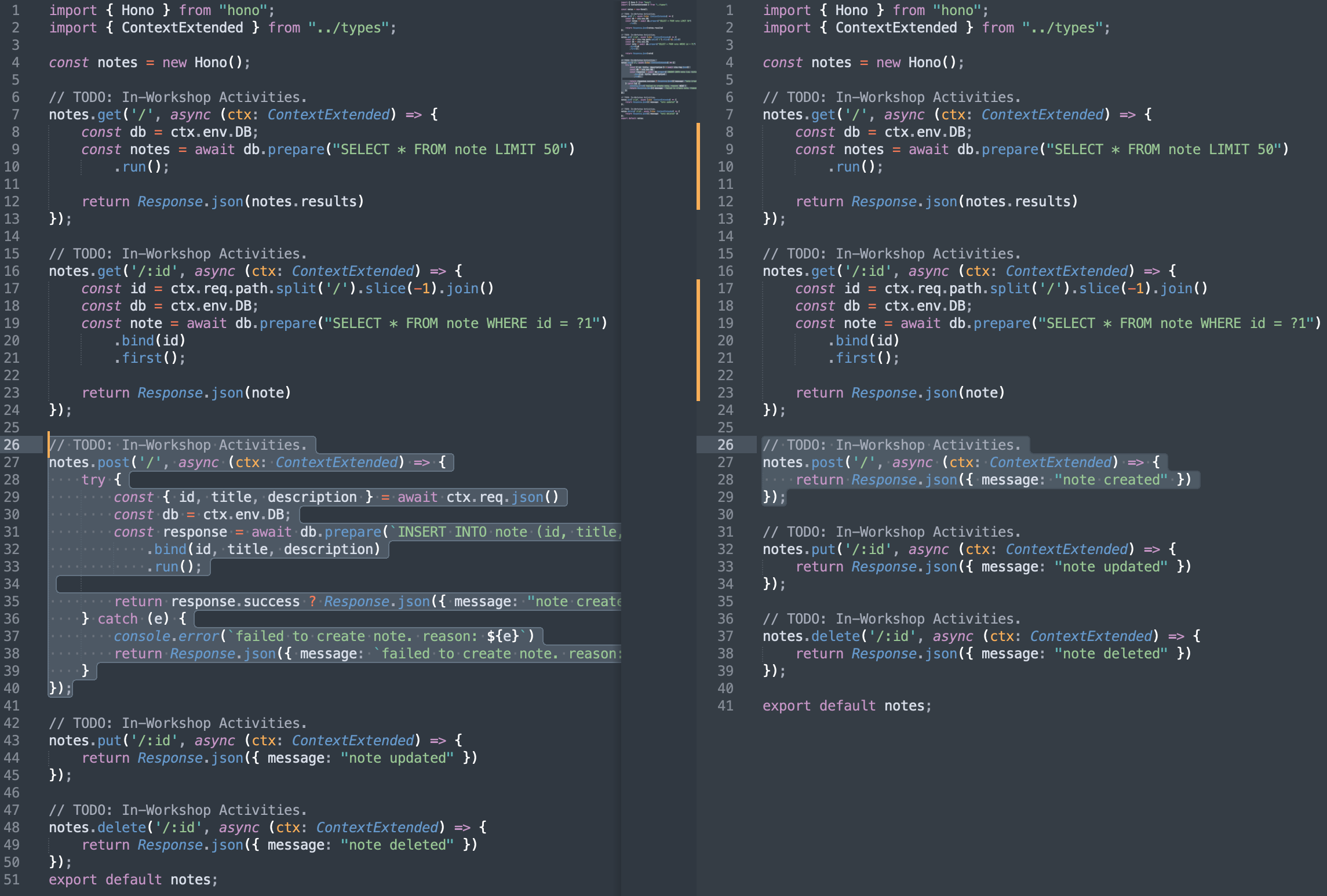
Update the POST / Route
Replace the placeholder:
// Replace this:
notes.post("/", (ctx) => {
  return Response.json({ message: "note created" });
});
With this implementation:
notes.post("/", async (ctx: ContextExtended) => {
  try {
    const { id, title, description } = await ctx.req.json();
    const db = ctx.env.DB;
    const response = await db
      .prepare(`INSERT INTO note (id, title, description) VALUES (?1, ?2, ?3)`)
      .bind(id, title, description)
      .run();

    return response.success
      ? Response.json({ message: "note created" })
      : Response.json({ message: "failed to create note" });
  } catch (e) {
    console.error(`failed to create note. reason: ${e}`);
    return Response.json({ message: `failed to create note. reason: ${e}` });
  }
});
Understanding the Code
Request parsing:
await ctx.req.json(): Parses the JSON request body- Destructures
id,title, anddescriptionfrom the request
Database insertion:
INSERT INTO note (id, title, description) VALUES (?1, ?2, ?3): Parameterized insert.bind(id, title, description): Safely binds all three parameters.run(): Executes the insert operation
Error handling:
try/catchblock handles any errors during operationresponse.success: Checks if database operation was successful- Returns appropriate success or error messages
Step 4: Implement PUT /notes/:id (Update Note)
Understanding the Operation
This endpoint will:
- Extract the note ID from the URL
- Parse the updated title and description from request body
- Update the existing note in the database
- Return success/failure message
Update the PUT /:id Route
Replace the placeholder:
// Replace this:
notes.put("/:id", (ctx) => {
  return Response.json({ message: "note updated" });
});
With this implementation:
notes.put("/:id", async (ctx: ContextExtended) => {
  try {
    const id = ctx.req.path.split("/").slice(-1).join();
    const { title, description } = await ctx.req.json();
    const db = ctx.env.DB;
    const response = await db
      .prepare(
        `UPDATE note
            SET (title, description) = ('${title}', '${description}')
            WHERE id = '${id}'`
      )
      .run();

    return response.success
      ? Response.json({ message: "note updated" })
      : Response.json({ message: "failed to update note" });
  } catch (e) {
    console.error(`failed to update note. reason: ${e}`);
    return Response.json({ message: `failed to update note. reason: ${e}` });
  }
});
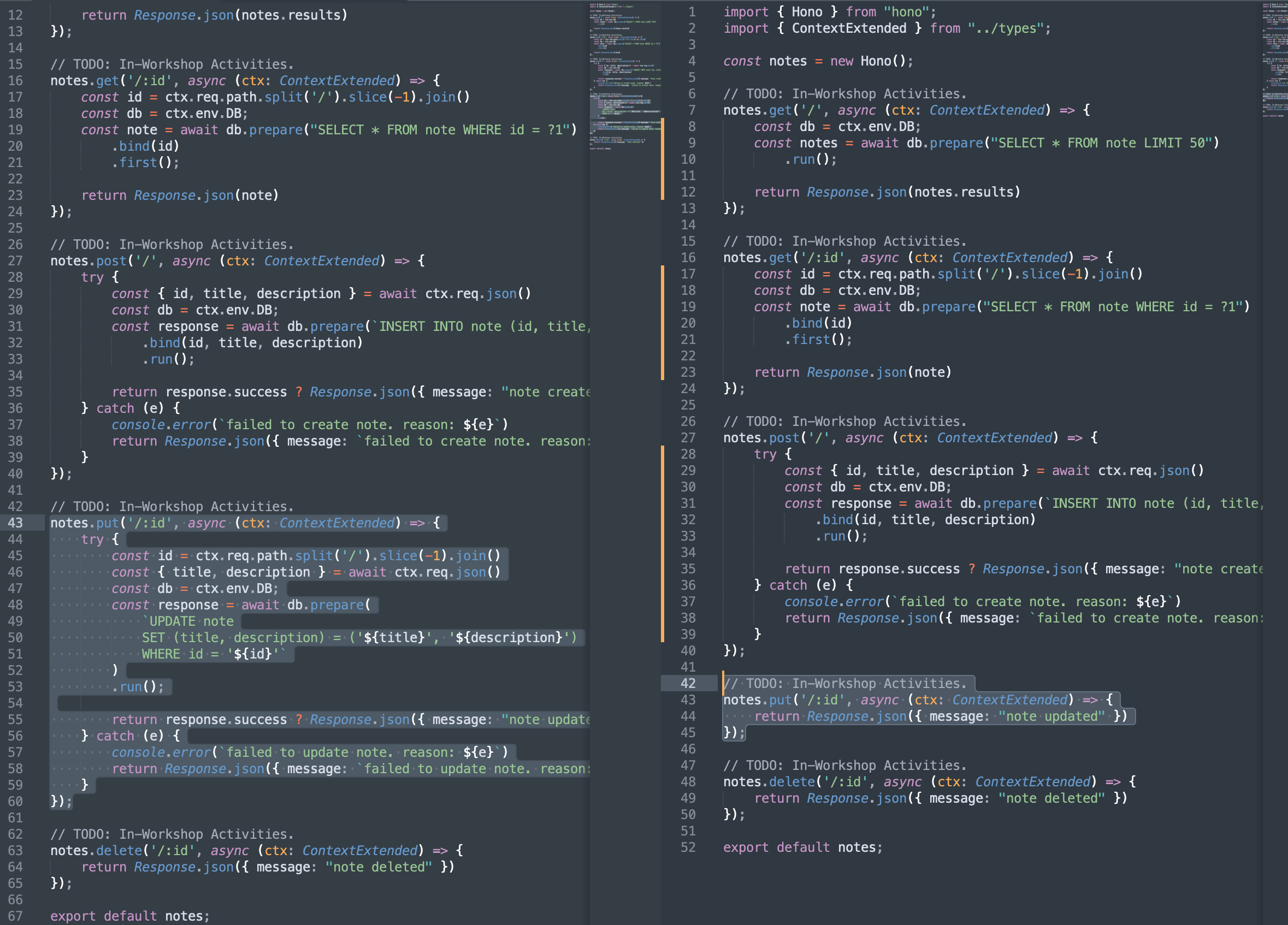
Understanding the Code
Parameter extraction:
- Gets
idfrom URL path andtitle,descriptionfrom request body
Database update:
UPDATE note SET (title, description) = (?, ?): Updates specific fieldsWHERE id = ?: Ensures we only update the specified note- Uses parameterized query for security
Response handling:
- Checks
response.successto determine if update was successful - Returns appropriate message based on operation result
Step 5: Implement DELETE /notes/:id (Delete Note)
Understanding the Operation
This endpoint will:
- Extract the note ID from the URL
- Delete any associated files first (foreign key constraint)
- Delete the note from the database
- Return success/failure message
Update the DELETE /:id Route
Replace the placeholder:
// Replace this:
notes.delete("/:id", (ctx) => {
  return Response.json({ message: "note deleted" });
});
With this implementation:
notes.delete("/:id", async (ctx: ContextExtended) => {
  try {
    const id = ctx.req.path.split("/").slice(-1).join();
    const db = ctx.env.DB;

    // Fetch associated file keys
    const filesResult = await db
      .prepare("SELECT id FROM file WHERE note_id == ?1")
      .bind(id)
      .all();

    const keys = (filesResult.results || []).map((row: any) => row.key);

    // Delete each file from R2
    await Promise.all(keys.map((key: string) => ctx.env.R2_BUCKET.delete(key)));

    // Delete file records from DB
    await db.prepare("DELETE FROM file WHERE note_id == ?1").bind(id).run();

    // Delete note
    const noteResponse = await db
      .prepare("DELETE FROM note WHERE id == ?1")
      .bind(id)
      .run();

    if (noteResponse.meta.changes > 0) {
      return Response.json({ message: "note deleted" });
    } else {
      return Response.json({ message: "failed to delete note" });
    }
  } catch (e) {
    console.error(`failed to delete note. reason: ${e}`);
    return Response.json({ message: `failed to delete note. reason: ${e}` });
  }
});
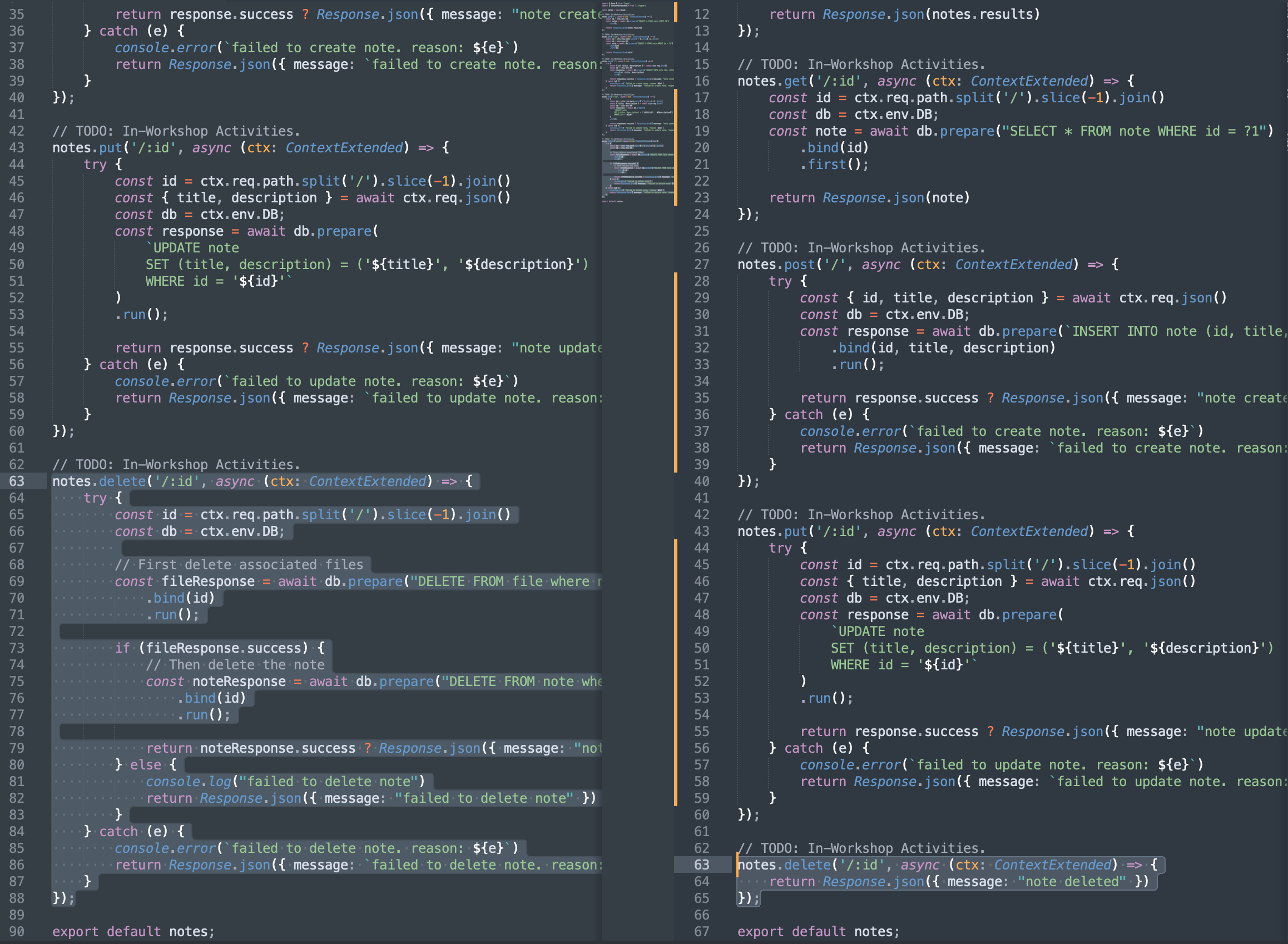
Understanding the Code
Cascading delete:
- Deletes files first, then the note (respects foreign key relationships)
DELETE FROM file where note_id == ?1: Removes associated filesDELETE FROM note where id == ?1: Removes the note itself
Two-step process:
- Delete associated files to maintain data integrity
- Only delete the note if file deletion was successful
Error handling:
- Checks success of both operations
- Returns appropriate error messages if either step fails
Step 6: Verify Complete Implementation
Review Your Complete File
After implementing all endpoints, your src/routes/notes.route.ts should look like this:
import { Hono } from "hono";
import { ContextExtended } from "../types";

const notes = new Hono();

// Get all notes
notes.get("/", async (ctx: ContextExtended) => {
  const db = ctx.env.DB;
  const notes = await db.prepare("SELECT * FROM note LIMIT 50").run();

  return Response.json(notes.results);
});

// Get single note
notes.get("/:id", async (ctx: ContextExtended) => {
  const id = ctx.req.path.split("/").slice(-1).join();
  const db = ctx.env.DB;
  const note = await db
    .prepare("SELECT * FROM note WHERE id = ?1")
    .bind(id)
    .first();

  return Response.json(note);
});

// Create new note
notes.post("/", async (ctx: ContextExtended) => {
  try {
    const { id, title, description } = await ctx.req.json();
    const db = ctx.env.DB;
    const response = await db
      .prepare(`INSERT INTO note (id, title, description) VALUES (?1, ?2, ?3)`)
      .bind(id, title, description)
      .run();

    return response.success
      ? Response.json({ message: "note created" })
      : Response.json({ message: "failed to create note" });
  } catch (e) {
    console.error(`failed to create note. reason: ${e}`);
    return Response.json({ message: `failed to create note. reason: ${e}` });
  }
});

// Update existing note
notes.put("/:id", async (ctx: ContextExtended) => {
  try {
    const id = ctx.req.path.split("/").slice(-1).join();
    const { title, description } = await ctx.req.json();
    const db = ctx.env.DB;
    const response = await db
      .prepare(
        `UPDATE note
            SET (title, description) = ('${title}', '${description}')
            WHERE id = '${id}'`
      )
      .run();

    return response.success
      ? Response.json({ message: "note updated" })
      : Response.json({ message: "failed to update note" });
  } catch (e) {
    console.error(`failed to update note. reason: ${e}`);
    return Response.json({ message: `failed to update note. reason: ${e}` });
  }
});

// Delete note
notes.delete("/:id", async (ctx: ContextExtended) => {
  try {
    const id = ctx.req.path.split("/").slice(-1).join();
    const db = ctx.env.DB;

    // First delete associated files
    const fileResponse = await db
      .prepare("DELETE FROM file where note_id == ?1")
      .bind(id)
      .run();

    if (fileResponse.success) {
      // Then delete the note
      const noteResponse = await db
        .prepare("DELETE FROM note where id == ?1")
        .bind(id)
        .run();

      return noteResponse.success
        ? Response.json({ message: "note deleted" })
        : Response.json({ message: "failed to delete note" });
    } else {
      console.log("failed to delete note");
      return Response.json({ message: "failed to delete note" });
    }
  } catch (e) {
    console.error(`failed to delete note. reason: ${e}`);
    return Response.json({ message: `failed to delete note. reason: ${e}` });
  }
});
export default notes;
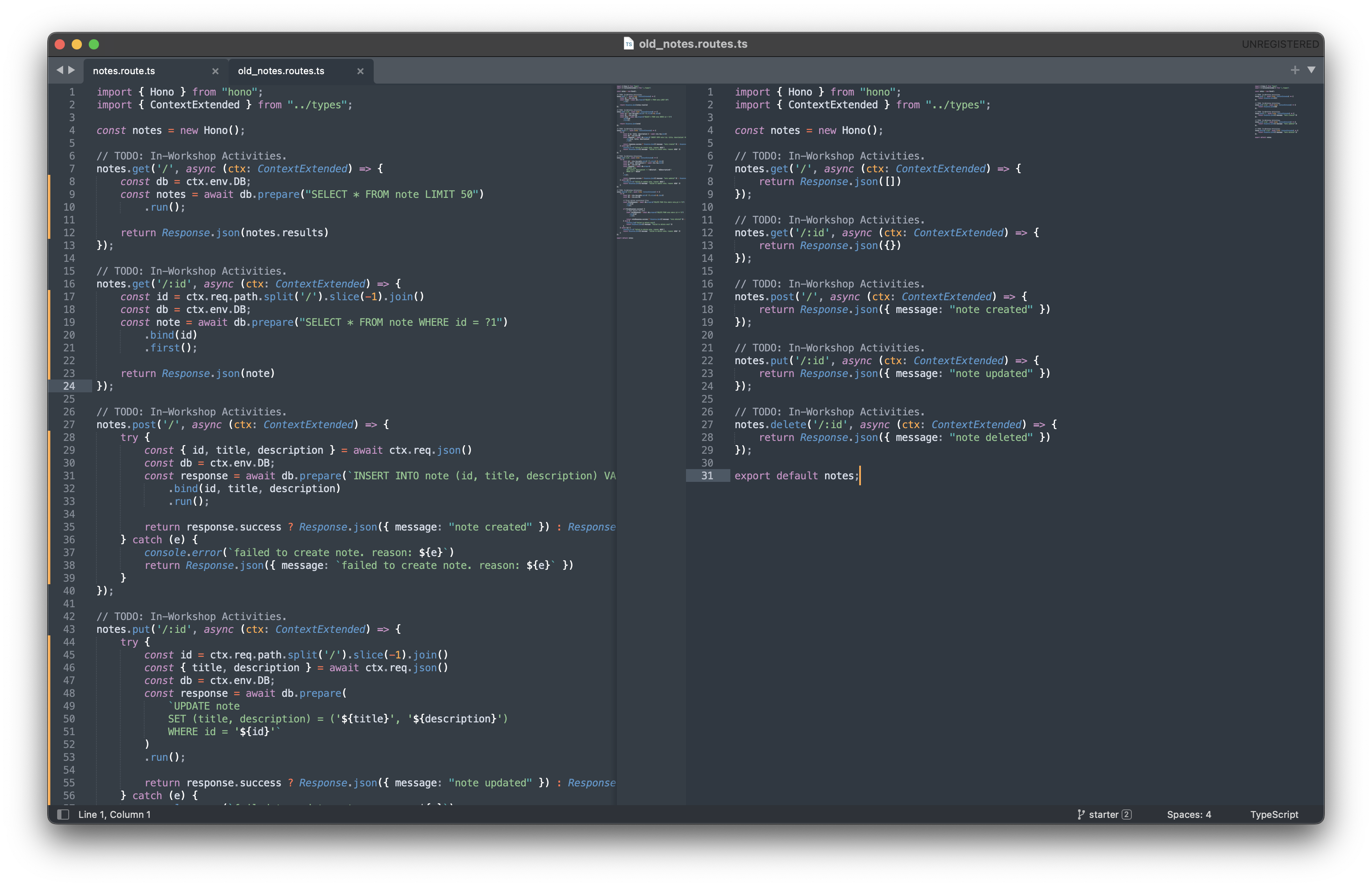
Save Your Changes
# Save the file (Ctrl+S or Cmd+S)

# Verify the file was saved
wc -l src/routes/notes.route.ts
# Should show around 70-90 lines

Step 7: Test Your Implementation Locally
Start Development Server
# Start the local development server
npm run dev
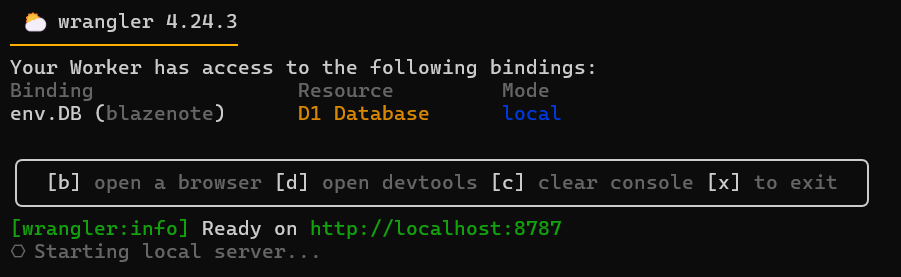
Expected output:
⛅️ wrangler 3.109.2
--------------------
▲ [WARNING] WARNING: You have Wrangler dev --local mode enabled.

Ready on http://localhost:8787
Test API Endpoints
Test GET /notes (should return empty array initially):
curl http://localhost:8787/notes
Expected response:
[]
Test POST /notes (create a note):
curl -X POST http://localhost:8787/notes \
  -H "Content-Type: application/json" \
  -d '{"id": "0001" ,"title": "My First Note", "description": "This is a test note created via API"}'
Expected response:
{ "message": "note created" }
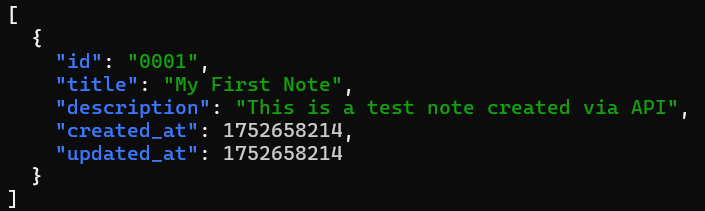
Test GET /notes again (should now show the note):
curl http://localhost:8787/notes
Expected response:
[
  {
    "id": "01934d2e-4567-7890-abcd-ef1234567890",
    "title": "My First Note",
    "description": "This is a test note created via API",
    "created_at": 1737891234,
    "updated_at": 1737891234
  }
]
CRUD Implementation Checklist
Verify all items below before proceeding:
Implementation Complete
- GET /notes endpoint implemented and tested
- GET /notes/:id endpoint implemented and tested
- POST /notes endpoint implemented and tested
- PUT /notes/:id endpoint implemented and tested
- DELETE /notes/:id endpoint implemented and tested
Code Quality
- All endpoints use parameterized queries (security)
- Proper error handling with try/catch blocks
- Async/await used for database operations
- Appropriate HTTP response codes and messages
Testing
- Local development server starts successfully
- Can create notes via POST endpoint
- Can retrieve notes via GET endpoints
- API responses contain expected data structure
- Error scenarios return appropriate messages
Database Integration
- Database connection established successfully
- SQL queries execute without errors
- Data persists between requests
- Foreign key relationships respected (cascading deletes)
[ PLACEHOLDER: Add screenshot showing completed testing checklist or API testing interface ]
Understanding Best Practices
Security Considerations
What we implemented correctly:
- Parameterized queries using
.bind()to prevent SQL injection - Input validation through try/catch error handling
- Proper error messages without exposing internal details
⚠️ Production considerations:
- Add authentication and authorization
- Implement rate limiting
- Add input validation and sanitization
- Use HTTPS in production
Performance Optimizations
Current optimizations:
LIMIT 50on list queries to prevent large data transfers- Efficient parameterized queries
- Proper database indexing (via primary keys)
Future improvements:
- Add pagination for large datasets
- Implement database connection pooling
- Add query result caching
Error Handling
Current approach:
- Comprehensive try/catch blocks
- Meaningful error messages
- Database operation success checking
Production enhancements:
- Structured error responses
- Error logging and monitoring
- Graceful degradation strategies
Troubleshooting Common Issues
Database Connection Errors
Issue: "DB is not defined" or database connection fails Solutions:
- Verify
wrangler.tomlhas correct D1 configuration - Ensure database binding is set to "DB"
- Check that migrations were applied successfully
SQL Syntax Errors
Issue: Database queries fail with syntax errors Solutions:
- Verify SQL syntax in your queries
- Check parameter binding (use
?1,?2, etc.) - Test queries manually with
wrangler d1 execute
JSON Parsing Errors
Issue: Request body parsing fails Solutions:
- Ensure request has
Content-Type: application/jsonheader - Verify JSON format is valid
- Add better error handling for malformed requests
Type Errors
Issue: TypeScript compilation errors Solutions:
- Ensure
ContextExtendedtype is properly imported - Check that async/await syntax is correct
- Verify database response types match expectations
What's Next?
Excellent! You've successfully implemented all CRUD operations for your note-taking application. Your API can now:
Create new notes and store them in D1
Retrieve all notes from the database
Get individual notes by ID
Update existing notes with new content
Delete notes and associated files
Next Step: Deployment Configuration - Configure CORS settings and environment variables for production deployment.
Your backend is now fully functional - let's get it ready for production! 🚀